Simulation-driven design.
Lattice generator: gyroid, TPMS, Voronoi and beams
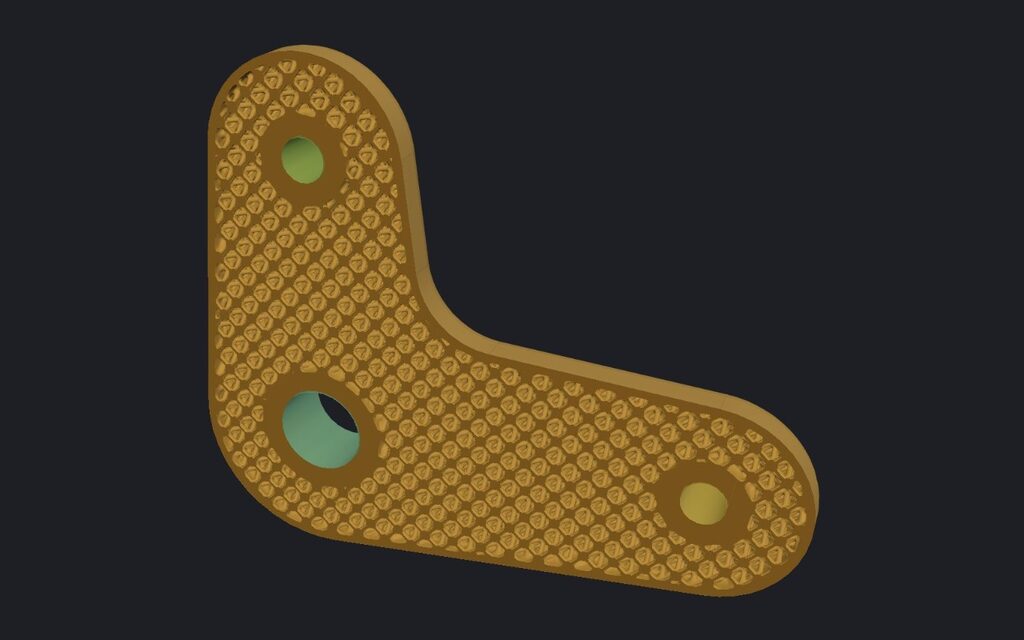
Open a part, pick a lattice and its size, and IMPLICIT fills the inside under a skin you choose. The outer surface stays as it was; only the solid inside changes.
Open IMPLICIT Free, in the browser. No installation, no account to start.
Three families of lattices
- TPMS (triply periodic minimal surfaces): gyroid, diamond, Schwarz P, Schoen I-WP, Neovius, Fischer–Koch S, Schoen F-RD and Fischer–Koch C(Y) as sheets, and gyroid and diamond as networks of struts. Sheets are continuous walls with no loose ends, which suits powder and resin processes because the material can drain.
- Beams: BCC, FCC, octet truss, octahedron and simple cubic cells, with the beam diameter you choose (up to 100,000 cells per part).
- Stochastic: Voronoi as foam or as struts, Delaunay, and spinodal as sheet or network. Irregular cells, with an option for FDM that limits overhangs to the angle you set.
What you control
Cell size and wall thickness (or beam diameter), the skin around the lattice, which faces stay open so powder or resin can come out, and which zones stay solid, for example around bolt holes. Cells can also follow the surface of the part, and TPMS cells can be laid out around an axis or a centre (cylindrical and spherical cells) or change smoothly from one TPMS type to another. Those three are Pro tools: you can design and preview them on any plan, and exporting them needs Pro.
The wall does not have to be uniform: it can follow a gradient, the distance to the surface, attractors, a stress or temperature result, or an image. That is a graded lattice.
Ready for the printer
Export checks thin walls against your process and reports overhangs and trapped volumes before you download. The result is a closed, printable STL; Pro also exports 3MF and STEP. Generating, previewing and simulating never count against the Free plan’s 3 daily exports.
Frequently asked questions
Which lattice is best for my part?
It depends on the load and the process. Gyroid and the other TPMS sheets are smooth and self-supporting at most sizes; beam lattices are easy to inspect and to clean; Voronoi looks organic. IMPLICIT does not decide for you: simulate the part and compare.
Can I print a Voronoi lattice on an FDM printer?
Yes, with the «FDM printable (self-supporting)» option of Voronoi and Delaunay: it limits overhangs to the angle you choose, measured from the print direction you set in Prepare, and reports the area that still overhangs.
How much lighter will the part be?
The app reports the volume and the weight in the chosen material against the solid part after generating. In the example bike stem, an 8 mm gyroid with 1 mm walls under a 1.8 mm skin made it 30 % lighter.
Which formats can I export?
STL on every plan; 3MF and STEP with Pro.
Open IMPLICIT Free, in the browser. No installation, no account to start.
What you can do with IMPLICIT
- Topology optimisationThe stiffest layout for the material you allow.
- FEA for 3D printingStress, displacement and safety factor in the browser.
- Custom insolesFrom foot size, pressure map or scan to a lattice insole.
- Graded latticesWall or cell size by stress, heat, image or pressure.
- Embossing and texturesText, logos and patterns, raised or engraved.
- EducationEvery Pro feature, free, for learning and research.